Validation
Validation
Validation displays error messages below form inputs with customizable styling via class overrides.
Visual Specifications
Section titled “Visual Specifications”| Property | Value |
|---|---|
| Font Size | 12px (text-f-12) |
| Font Weight | Light (font-poppins-light) |
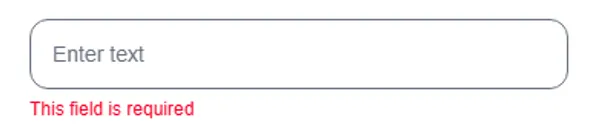
| Color (default) | Red (text-primary-tselRed) |
| Margin Top | 4px (mt-1) |
| Icon | None |
Configuration Options
Section titled “Configuration Options”| Option | Type | Default | Description |
|---|---|---|---|
validation.message | string | required | Error message text to display |
validation.classes | string | 'text-primary-tselRed' | Custom CSS classes overriding default color/style |
Variants
Section titled “Variants”Default red error message — validation.classes omitted or ‘text-primary-tselRed’
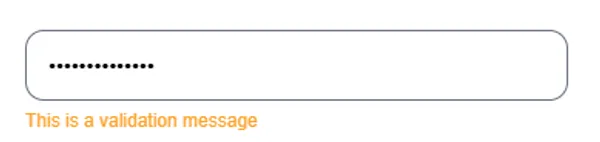
Orange caution message — validation.classes set to ‘text-secondary-tselMustard’
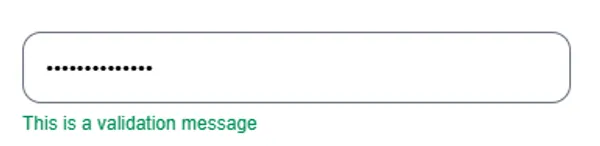
Green success message — validation.classes set to ‘text-secondary-tselGreen’
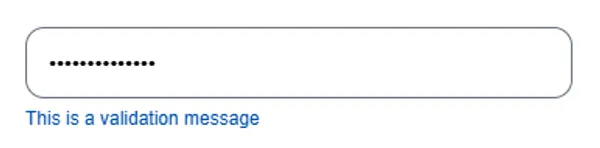
Blue informational hint — validation.classes set to ‘text-secondary-tselBlue’
Message Guidelines
Section titled “Message Guidelines”| Type | Example |
|---|---|
| Required | ”This field is required” |
| Invalid | ”Please enter a valid email” |
| Too short | ”Must be at least 8 characters” |
| Mismatch | ”Passwords do not match” |
Usage Guidance
Section titled “Usage Guidance”When to use
Section titled “When to use”- Form validation errors
- Input field error messages
- Custom error styling needed
- Inline error feedback
Best practices
Section titled “Best practices”| ✅ Do | ❌ Don’t |
|---|---|
| Provide clear, actionable messages | Use vague error messages |
| Position close to related input (4px) | Show errors before user interacts |
| Use consistent message phrasing | Cluster multiple errors |
| Override classes for non-error use cases | Use for critical alerts |