Accordion
Accordion
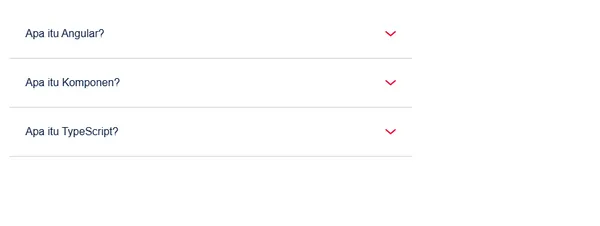
Accordion provides collapsible content panels for organizing and displaying information in a space-efficient manner with smooth expand/collapse animations.
Visual Specifications
Section titled “Visual Specifications”| Property | Value |
|---|---|
| Padding | 24px (p-6) |
| Border | Bottom 1px (border-b) |
| Border Color | #E5E7EB (border-primary-tselGrey40) |
| Icon Size | 16px (w-4) |
| Animation Duration | 250ms (duration-250) |
| Max Height (Open) | 1000px |
Configuration Options
Section titled “Configuration Options”| Option | Type | Default | Description |
|---|---|---|---|
data.label | object | required | Label text per language |
data.guides | object | required | HTML content per language (injected) |
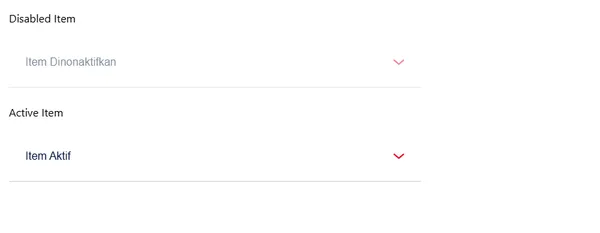
config.disabled | boolean | false | Disables interaction and reduces opacity |
config.showIcon | boolean | true | Toggles visibility of toggle icon |
Behavior Patterns
Section titled “Behavior Patterns”| State | Logic |
|---|---|
| Toggle | toggle() method switches opened boolean |
| Animation | max-h-0 → 1000px transition on opened class |
| Icon Rotation | transform rotate-180 when opened |
| Disabled | opacity-50 and pointer-events-none applied |
Variants
Section titled “Variants”Default interactive accordion item.
Non-interactive state: config.disabled = true applies opacity-50 and disables pointer events.
Usage Guidance
Section titled “Usage Guidance”When to use
Section titled “When to use”- Organizing large amounts of content
- Progressive disclosure of information
- FAQ sections
- Settings panels with categories
- Document or help content organization
Best practices
Section titled “Best practices”| ✅ Do | ❌ Don’t |
|---|---|
| Keep titles concise and descriptive | Use vague headings |
| Logically group related content | Mix unrelated topics |
| Allow panel content to breathe | Overfill panels |
| Use meaningful icons | Skip visual indicators |
| Consider mobile touch targets | Make headers too small |
| Persist state when appropriate | Random open/close behavior |
Accessibility
Section titled “Accessibility”- Keyboard navigation with Enter/Space
- Accessibility (expanded state)
- Proper heading hierarchy
- Focus visible indicators
- Screen reader announcements
Content Guidelines
Section titled “Content Guidelines”| Element | Recommendation |
|---|---|
| Title Length | 20-50 characters |
| Title Style | Sentence case |
| Content Structure | Use subheadings for long content |
| Panel Count | 3-8 items recommended |